Google Can Crawl Your Page: So Why Isn't It Getting Indexed?
Google Can Crawl Your Page: So Why Isn't It Getting Indexed?Imagine pouring weeks of painstaking effort into a comprehensive, deeply researched articl...
Google Can Crawl Your Page: So Why Isn't It Getting Indexed?
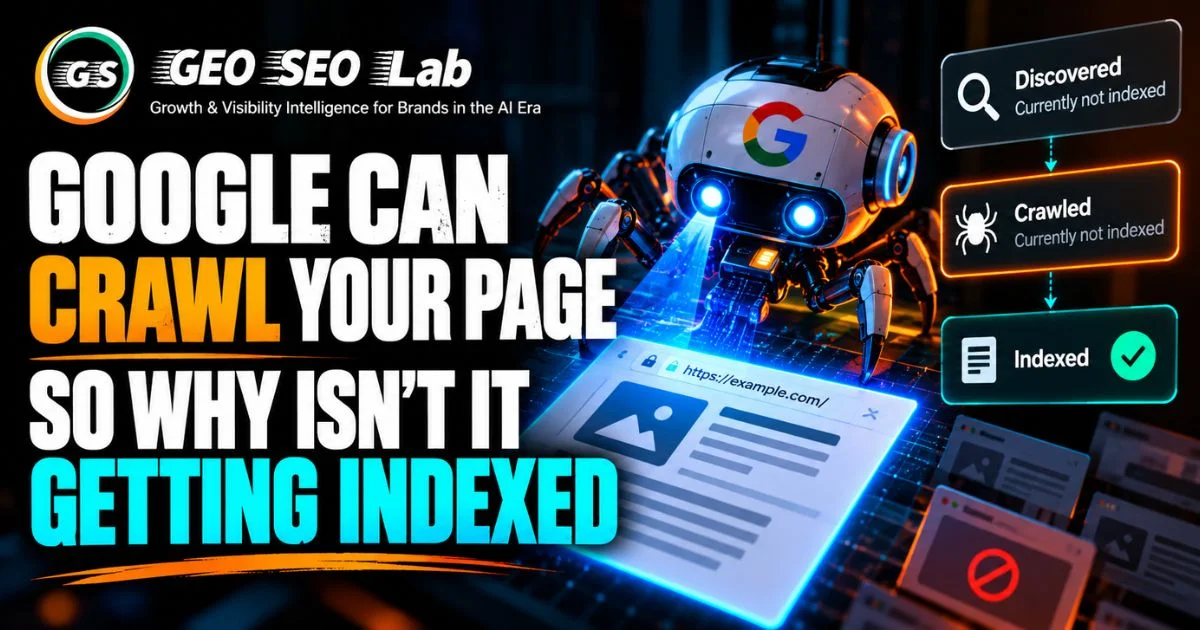
Imagine pouring weeks of painstaking effort into a comprehensive, deeply researched article. You hit publish, verify that your server responds normally, submit the URL directly through Search Console, and wait for the organic traffic to arrive. Days pass by with absolute silence. Frustrated, you open Google Search Console and pull up the URL inspection tool. The verdict hits you like a cold splash of water. Crawled, currently not indexed.
Panic sets in immediately. You look at the status again, trying to decode what it actually means. Googlebot literally visited your server. The crawler downloaded your HTML, parsed your headers, and read your paragraphs. Google physically possesses the file on its temporary scratchpad, yet it made a deliberate, conscious decision not to include your page in its permanent index.
This scenario plays out thousands of times every single day for site owners, developers, and digital marketers across the globe. It stands as one of the most frustrating bottlenecks in modern technical search engine optimization. Years ago, if Google crawled a page, indexing was practically guaranteed. Today, crawling and indexing are two entirely separate operational phases governed by entirely different rules.
Understanding why Google leaves perfectly accessible pages out of its index requires a deep dive into the complex mechanics of modern search engine architecture. Google does not suffer from a shortage of server space, but it does operate under strict computational limits, aggressive quality thresholds, and sophisticated relevance algorithms.
Let us explore the hidden barriers that turn a successful crawl into a silent indexing rejection, and examine how you can diagnose and fix these issues to earn your rightful place in search results.
The Architectural Schism: Why Crawling and Indexing Are Completely Different Beasts
To solve your indexing troubles, you first need to understand the fundamental mechanics of how search engines process the web. Many people use the terms crawling and indexing interchangeably out of habit, but from an engineering perspective, they represent entirely different operations handled by completely separate computer systems.
Crawling is essentially discovery and retrieval. Google sends automated software programs known as spiders or crawlers out across the internet to discover new and updated URLs. These crawlers follow links, read XML sitemaps, and ping server ports to fetch raw HTML documents, CSS stylesheets, JavaScript files, and images. When a page is successfully crawled, it means Googlebot successfully negotiated a handshake with your web server, requested the resource, and downloaded the bytes into a temporary holding queue.
Indexing, on the other hand, is storage, organization, and comprehension. Once Googlebot downloads a page, that raw document enters a massive processing pipeline. The system parses the content, extracts semantic entities, evaluates internal link equity, checks for duplicate phrasing, and determines whether the information adds genuine value to the existing search corpus.
If the processing system decides the page meets all quality and technical requirements, it writes a record of the page into the primary search index. If it fails any of these rigorous internal checks, the page is left behind in a purgatory state, often labeled as crawled but not indexed.
This vital distinction explains why getting visited by Googlebot is only half the battle. Crawling is cheap in terms of computational priority, whereas indexing requires heavy cognitive processing, long-term database storage, and ongoing maintenance overhead. Google protects its index fiercely, treating it as a curated library rather than a digital landfill.
The Limbo of Discovered Currently Not Indexed: Understanding Budget and Priority
Before a page reaches the crawled stage, it often languishes in another frustrating status category known as discovered, currently not indexed. If you see this message in your Search Console report, it means Google knows your URL exists because it found a link pointing to it or discovered it inside an XML sitemap, but it has not yet bothered to visit the page.
Why would Google leave a discovered URL sitting in limbo for weeks or months? The answer usually boils down to crawl budget and site-wide priority queues.
Google does not have infinite computational resources to crawl every single URL on the internet every single day. Instead, it allocates a specific crawl budget to every individual website based on two primary factors: crawl capacity limit and crawl demand.
Crawl capacity limit ensures that Googlebot does not overwhelm your server with simultaneous requests, causing your site to slow down or crash for human visitors. If your server responds sluggishly or throws occasional gateway errors, Google actively reduces your crawl budget to protect your site infrastructure.
Crawl demand, meanwhile, is driven by how often your content updates, how popular your domain is, and how many external links point to your pages. If you run a small or newly established website with modest authority, your crawl demand is naturally low. Googlebot prioritizes massive news sites, high-frequency ecommerce catalogs, and high-authority platforms over your fresh blog posts.
When your new URLs fall into the discovered state, Google is simply telling you that based on its current resource allocation and perceived site authority, visiting your page is not a top priority right now. Fixing this requires improving your server response times, cleaning up your internal link architecture, and demonstrating consistent publishing patterns to earn a higher crawl priority.
The Anatomy of a Silent Rejection: When Google Crawls But Refuses to Store
Let us return to the most baffling status of all: crawled, currently not indexed. Here, Googlebot has already spent the resources to visit your server, download your content, and push it into the processing pipeline. Yet, the page was rejected at the gate.
What happens during that internal processing phase that causes Google to turn your page away?
The decision is rarely arbitrary. Automated algorithms evaluate every crawled document against dozens of quality signals, structural requirements, and duplicate detection filters. If your page triggers red flags in any of these categories, the indexing pipeline halts the process entirely.
One major culprit is perceived content redundancy. If Google determines that your new page offers virtually nothing new compared to thousands of other pages already residing in its index, it sees no logical reason to waste storage space on a duplicate record.
Another factor is low utility or thin content. Pages that consist of a few paragraphs of generic introductory text, heavy affiliate disclaimer notices, and very little original insight are frequently dropped during the indexing stage. Google's automated quality systems are exceptionally good at spotting boilerplate content that exists solely to manipulate search visibility.
Furthermore, technical errors that occur after the initial HTTP request can derail indexing. If your server returns a soft error, where a page displays a generic content-not-found message while returning a successful HTTP status code, Googlebot will crawl it but refuse to index it because the content lacks integrity.
Understanding these invisible filters is the first step toward diagnosing why your specific URLs are getting sidelined.
Navigating the Maze of Crawlability: Server Responses and Directives
Before we discuss indexing, we must ensure your site is genuinely crawlable. Crawlability refers to the ability of search engine spiders to access and read the pages on your website without running into technical roadbloaks.
If your server returns unexpected status codes, Googlebot cannot fetch your content properly. While a standard page should always return a successful status code, misconfigured servers sometimes return error codes or redirect loops that confuse the crawler.
Another common crawlability hurdle involves robots directives. Many site owners accidentally block important pages by misusing robots exclusion protocols or adding meta tags that instruct crawlers to stay away. While a disallow directive prevents crawling, a noindex directive allows crawling but blocks indexing.
It is important to keep these two directives straight. If you accidentally place a noindex tag on a page you desperately want to rank, Googlebot will crawl the page, read the tag, respect your instruction, and categorize the page as excluded by noindex tag.
Furthermore, server performance plays a massive role in crawlability. If your hosting provider experiences frequent downtime, database latency, or connection timeouts, Googlebot will back off to prevent crashing your site. A sluggish server translates directly into fewer crawled pages and delayed indexation for your newest content.
The JavaScript Rendering Trap: When Client-Side Scripts Blind the Indexer
Modern website development relies heavily on JavaScript frameworks to build dynamic, interactive user experiences. While this approach benefits human visitors who enjoy smooth animations and instant interface updates, it creates massive complications for search engine indexing.
Google handles JavaScript through a sophisticated two-wave indexing system. During the first wave, Googlebot requests your URL, downloads the raw HTML document, and parses whatever static content is visible in the source code. If your content, headings, and internal links are hardcoded into that initial HTML response, you are in a great position.
However, many modern sites rely on client-side rendering, where the raw HTML is essentially an empty shell containing a script tag that tells the browser to fetch and read the actual content dynamically using JavaScript.
If your critical content requires client-side execution, Googlebot has to queue your URL for a second processing phase known as the rendering queue. This rendering phase requires significantly more computational power. Because resources are limited, Google often delays rendering until it has spare capacity.
If your site is slow to load scripts, if your JavaScript throws unhandled exceptions during execution, or if critical content is hidden behind heavy asynchronous calls that time out, the rendering engine might fail to see your content. To Googlebot, the page appears nearly blank. Consequently, the page is crawled successfully in wave one, but dropped during wave two because the rendering engine found no indexable substance.
Ensuring that your core content, titles, metadata, and internal navigation links are present in the initial raw HTML response is one of the most effective ways to solve JavaScript-related indexing failures.
Canonical Confusion: How Duplicate Pages and Mixed Signals Derail Indexing
One of the most common reasons Google crawls a page but refuses to index it is internal cannibalization and duplicate content conflicts.
Websites naturally accumulate duplicate variations of the same content. Think of parameterised ecommerce URLs, printer-friendly versions, HTTP versus HTTPS variations, or www versus non-www routing discrepancies. If your site architecture allows multiple distinct URLs to serve identical or nearly identical content without clear governance, Googlebot gets confused.
When Google encounters multiple pages with matching content, it attempts to select a primary representative known as the canonical URL. It indexes that chosen canonical version and ignores the duplicates, categorizing them as crawled, currently not indexed due to duplicate without user-selected canonical.
Sometimes, this process works in your favor by correctly consolidating duplicate paths. However, problems arise when Google mistakenly selects the wrong page as the canonical version, or when your own markup contradicts Google's preference.
If you fail to implement self-referencing canonical tags correctly, or if your canonical tags point to entirely different URLs, you create mixed signals. Google might crawl the page you actually want to rank, look at the conflicting canonical tag, assume you want another page indexed instead, and drop the current URL from the active index.
Furthermore, parameter clutter can trap your site in an indexing nightmare. If your content management system generates endless filter variations or tracking parameter URLs that return similar content, Googlebot wastes valuable resources crawling them, and your primary pages get drowned out in a sea of duplicate noise.
The Power of Internal Link Architecture: How Page Rank and Context Guide Indexing
Internal links are the circulatory system of your website. They guide human visitors from page to page, but more importantly, they serve as navigational highways and authority signals for search engine crawlers.
Many site owners assume that submitting an XML sitemap is enough to guarantee indexing. Sitemaps are valuable discovery tools, but they do not provide validation. A sitemap tells Googlebot that a URL exists, but it does not tell Googlebot that the page is important, authoritative, or editorially sound.
If a page has zero incoming internal links from other pages on your website, it is classified as an orphaned page. While Googlebot might occasionally crawl an orphaned page found via an XML sitemap, the indexing pipeline views it with deep suspicion. Why would a site owner publish a piece of content and provide no internal links to it?
Internal links pass both PageRank equity and crucial contextual relevance. When a high-authority page on your site links to a newly published article using descriptive anchor text, it tells Googlebot that the new page is part of a broader thematic cluster and deserves serious evaluation for the index.
If your pages are buried four levels deep in a confusing folder hierarchy with no prominent internal links pointing to them, Google treats them as low-priority assets. Even if crawled, they are frequently left out of the index simply because the internal link structure fails to signal editorial importance.
Auditing your internal link pathways and ensuring every valuable page is connected to your primary navigation and related content clusters can dramatically improve your indexing success rate.
The Quality Threshold: Escaping the Trap of Thin and Derivative Content
We live in an era of unprecedented content abundance. Generative tools and automated workflows have made it remarkably easy to publish millions of words across the internet every single day. Because publishing is practically free, storage is cheap, and server capacity is vast, Google has raised its quality thresholds higher than ever before.
When Googlebot crawls a page, the processing pipeline evaluates the document against rigorous helpful content standards. It asks a series of fundamental questions. Does this page provide original insights, unique data, or firsthand expertise? Or is it merely a shallow regurgitation of existing information already found across thousands of other sites?
Thin content is a primary reason for silent indexing rejections. Pages that contain fewer than a few hundred words of generic text, automated product descriptions scraped from manufacturer feeds, or boilerplate category pages with zero unique editorial commentary are frequently crawled and immediately discarded from the index.
Google does not want to bloat its database with redundant or low-utility documents that satisfy zero user intent. If your site has a high ratio of thin, repetitive, or unoriginal pages, you may find that Google crawls your entire domain regularly, but only indexes a fraction of your URLs.
Fixing this requires a commitment to radical content consolidation and enhancement. Instead of publishing dozens of thin, fragmented pages targeting slight variations of a keyword, combine them into comprehensive, authoritative cornerstone guides that offer genuine depth and unique value to the reader.
The Comprehensive Diagnostic Blueprint: Step-by-Step Troubleshooting
When you encounter pages stuck in the crawled, currently not indexed state, you need a systematic method to diagnose and resolve the bottleneck. Working through a clear diagnostic process helps you isolate the exact technical or qualitative failure occurring behind the scenes.
Start your investigation inside Google Search Console by inspecting the specific URL in question. Look closely at the last crawl time. If the crawl happened very recently, give the system a few days to complete the asynchronous indexing pipeline. Sometimes, pages simply take time to clear the processing queue.
If the crawl date is old and the status remains unindexed, check the HTTP response header. Verify that the server returns a genuine success status code and not a soft error, a redirect chain, or an unintended block.
Next, click the live test feature within the URL inspection tool. This tool fetches the live page in real-time, allowing you to view the rendered HTML and screenshot. Examine the rendered output carefully. Does the content you want indexed actually appear in the rendered HTML, or is it missing because of a client-side JavaScript rendering failure?
Once you confirm the page renders correctly, evaluate your canonical tags. Ensure the URL contains a valid self-referencing canonical tag that matches its own address, and verify that no conflicting tags are pointing elsewhere.
After checking technical markers, audit your internal link profile. Count how many incoming internal links point to the unindexed URL from other active pages on your site. If the count is zero or the page is only referenced in your XML sitemap, add contextual internal links from relevant, high-traffic pages within your domain.
Finally, evaluate the qualitative depth of the content itself. Ask whether the page offers unique value, original research, or distinct utility compared to competing pages already in Google's index. If the content is thin, repetitive, or derivative, expand it, add expert commentary, or consolidate it with a stronger page.
By following this systematic diagnostic sequence, you can turn a silent indexing rejection into a permanent fixture in search results.
Building an Index-Resilient Publishing Ecosystem for the Future
Solving immediate indexing errors is crucial, but building a resilient architecture that prevents future bottlenecks is even more important. Long-term indexing health requires a proactive approach to site hygiene, technical performance, and content strategy.
Begin by auditing your site architecture on a quarterly basis. Look for orphan pages, broken internal links, outdated redirects, and bloated parameter URL structures that waste crawl budget. Keep your XML sitemaps lean, accurate, and exclusively populated with high-quality, canonical URLs that you genuinely want indexed.
Maintain strict quality standards for your publishing pipeline. Resist the temptation to flood your site with low-effort, automated content that triggers quality filters in Google's indexing algorithms. Every page you publish should earn its place in the index through original insights, clear utility, and robust internal support.
Monitor your server performance and log files consistently. Ensure your hosting infrastructure handles crawl requests efficiently without throwing server errors or slowing down response times for Googlebot.
By treating indexation not as an afterthought, but as a core pillar of your technical SEO strategy, you ensure that every piece of content you create gets the visibility, traffic, and recognition it deserves.
Key Takeaways
- Crawling and indexing are two entirely separate operational phases; getting visited by Googlebot does not guarantee index inclusion.
- The discovered state means Google knows your URL exists, but low crawl budget or site priority keeps it from being fetched immediately.
- The crawled, currently not indexed status indicates a silent rejection during internal processing due to quality, duplicate, or technical issues.
- Client-side JavaScript rendering failures can cause Googlebot to see an empty page during the second processing wave, leading to non-indexing.
- Duplicate content and broken canonical tags create confusion, causing Google to drop valid pages in favor of preferred representatives.
- Orphaned pages with zero incoming internal links struggle to get indexed because sitemaps alone do not signal editorial importance.
- High quality thresholds mean thin, repetitive, or unoriginal content is frequently crawled and discarded to prevent index bloat.
- Systematic troubleshooting involves checking live rendering, verifying canonical tags, building internal links, and enhancing content depth.
About Section
This technical guide was produced by our digital intelligence lab, an independent research collective specializing in search engine architecture, crawl budget optimization, and technical SEO diagnostics. Our team combines empirical server log analysis with deep algorithm tracking to help digital publishers master the complexities of modern search indexing.
References
- Google Search Central Documentation. (2024). Understanding the Google Index and the URL Inspection Tool Report. Official Webmaster Guidelines.
- Search Engine Journal. (2024). Demystifying Crawled vs. Indexed Statuses in Google Search Console. Technical SEO Research.
- W3C Technical Architecture Group. (2023). Client-Side Rendering vs. Server-Side Indexing in Modern Web Applications. Academic Monograph.
- Digital Intelligence Lab. (2024). Evaluating Quality Thresholds and Duplicate Content Filtering in Large-Scale Retrieval Systems. Research Whitepaper.
Tags
Frequently Asked Questions
Find answers to common questions about this topic
About the Author

Anubhav
SEO Expert & Content Creator
Experienced digital marketing professional specializing in SEO strategies, content optimization, and data-driven marketing solutions. Passionate about helping businesses grow their online presence and achieve better search rankings.
Related Articles
View all posts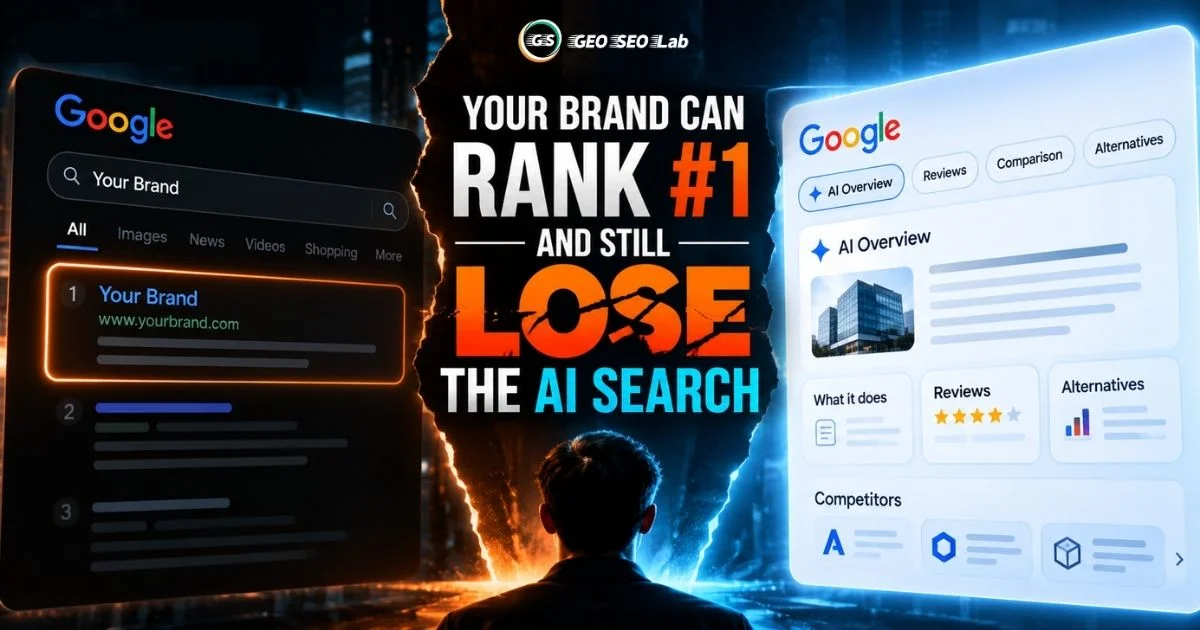
Your Brand Can Rank #1 and Still Lose the AI Search
Your Brand Can Rank #1 and Still Lose the AI SearchGoogle AI Overviews Are Changing Brand Search, and What It Means for SEOEditorial DisclosureThis ar...

How to Turn FAQ Content Into GEO Content
How to Turn FAQ Content Into GEO ContentThink about the last time you searched for a complex product or a nuanced troubleshooting step. Did you type a...

How AI Decides Which Websites to Cite: Inside the Hidden Selection Process
Introduction: The New Gatekeepers of VisibilityPicture this. Someone types a question into ChatGPT, Perplexity, or Google's AI Overview box. Within se...