Why Is My Website Not Ranking on Google? A Practical Diagnostic Path
A step-by-step way to find out whether Google can't see your site, doesn't trust it yet, or simply prefers someone else's page.
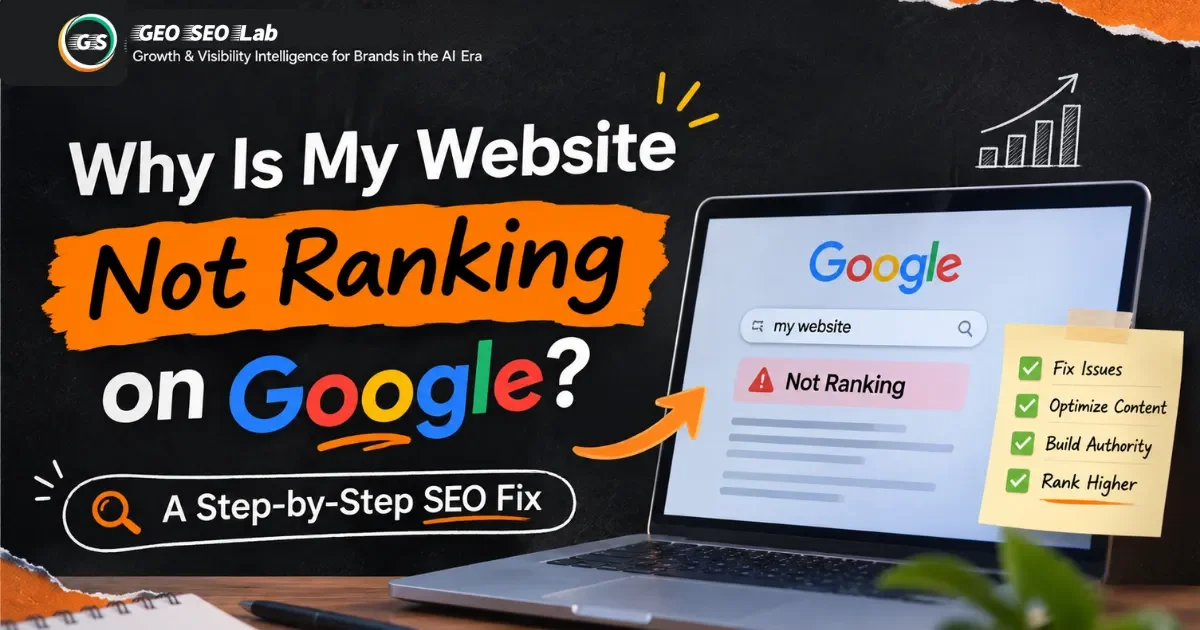
Few questions in SEO get asked as often as this one. A business launches a new site or publishes a batch of articles, waits a few weeks or months, and then searches for its own brand name or main service only to find nothing useful on the first page. Sometimes the site doesn't show up at all. Sometimes it shows up on page five. Sometimes it ranked well for a while and then fell off a cliff.
The frustrating part is that "not ranking" describes a symptom, not a cause. A site can fail to rank because Google hasn't indexed it, because its pages are blocked by a setting nobody remembers adding, because its content answers a different question than the one people are asking, because competitors have far more authority, or because a technical problem is quietly dragging everything down. Each of these needs a different fix, and fixing the wrong one wastes months.
That's why the order of your work matters. Most people jump straight to the things they've heard about: write more blog posts, build more backlinks, add keywords to the title tag. Those actions can help, but they're useless if Google can't crawl the page, or if the page is indexed but targets a query nobody searches for. Think of it like troubleshooting a car that won't start. You don't replace the tires first. You check whether the battery has power.
We use a simple framework to keep that order straight. We call it the Ranking Diagnostic Ladder, and it has five rungs: existence, access, eligibility, relevance, and competitiveness. Each rung depends on the one below it. In the sections that follow, we'll walk up the ladder, showing you how to check each rung, what failure looks like, and what to do about it.
Let's start by making sure you're diagnosing the right problem.
Figure Out Which Kind of Not Ranking You Have
Before you change anything, get specific about what's happening. "Not ranking" can mean at least four different situations, and each points to a different place to look.
In the first situation, your pages aren't in Google's index at all. Search for your exact page title or a distinctive sentence from the page, and nothing from your site appears. This suggests a problem with existence or access, which are the lowest rungs on the ladder.
In the second situation, your pages are indexed, but they don't appear for the searches you care about. You might see your brand name or a very specific phrase, but the generic terms that matter to your business are nowhere. This usually points to relevance, competitiveness, or both.
In the third situation, your pages show up but sit on page three or four. Google has seen them and considers them somewhat relevant, but other pages are ahead. This is often a competitiveness issue, though it can also be a sign of thin content or weak intent matching.
In the fourth situation, you ranked well and then dropped. This is the most informative case, because something changed. It might be a site redesign, a migration, a technical error, a change in competitor content, a shift in what people search for, or a Google update that reassessed your pages. Timing is your best clue here, so line up your drop against your own website changes.
We call the quick check that sorts these situations the Visibility Gap Test. It takes about an hour and asks four questions.
First, search for your brand name and the exact title of your most important page. Do they appear? If not, you may have an indexing or access issue.
Second, open Google Search Console and look at the performance report for your target queries. Are they generating impressions at all? Zero impressions for queries you've written pages for usually means Google isn't showing those pages for them, even if they're indexed.
Third, look at position and click-through rate together. A page with many impressions but a low click-through rate may be ranking, but in a weak position or with a title that doesn't invite clicks. A page with high average position but very few impressions may be ranking for queries nobody searches.
Fourth, check whether the page is indexed, using the URL Inspection tool in Search Console. This is the most direct way to see what Google has stored for a specific URL.
Your answers tell you which rung to start on. If you can't find the page in Google at all, start at the bottom. If the page is indexed but invisible for target queries, you're probably looking at relevance or competitiveness. Don't skip ahead just because a higher rung sounds more interesting.
Confirm Google Can See Your Website
The bottom rung of the ladder is existence, which simply means Google knows your site and your pages exist. It's easy to assume this is automatic, especially for businesses that have been online for years. It isn't always.
Start by making sure you have a verified property in Google Search Console for your site. Search Console is free, and it's the most reliable window into how Google sees your pages. If you've never set it up, do that first. If you have a verified property, check that it's the right one. Many sites have multiple versions, such as HTTP and HTTPS, or versions with and without the "www" prefix, and data can be split across them. A domain property covers all versions and protocols, which is usually the simplest choice.
Next, submit an XML sitemap. A sitemap is a file that lists the URLs you want Google to know about. It doesn't guarantee indexing, but it helps Google discover pages it might otherwise miss, especially on larger sites or new sites with few inbound links. Most content management systems and ecommerce platforms generate sitemaps automatically. Check that the sitemap exists, that it lists your important pages, and that it doesn't include pages you've deliberately blocked or removed.
Then use the URL Inspection tool on your most important pages. Enter the full address, and Search Console will tell you whether the URL is on Google, whether it's been crawled, and whether any issues were detected. You can also run a live test, which fetches the page as Google would see it right now and shows you a rendered screenshot. This is valuable because it reveals problems that don't show up in your browser. A page might look perfect to you but be blank to Googlebot if its content loads only through a script that fails.
You may have seen people use the site search operator to check indexing by typing the site address followed by a colon into Google. It can give you a rough sense of what's indexed, but the results are not complete or fully reliable, so treat it as a quick glance rather than a diagnosis.
If the URL Inspection tool says the page is not on Google and gives you a reason, that reason is your next clue. If it says Google can't find the page, check your sitemap and internal links. If it says the page is blocked, check your robots settings. We'll get to those in a moment.
Work Through Your Indexing Status
Once you know Google can see your site, the next question is whether it's actually storing your pages in the index. This is where the Page indexing report in Search Console becomes your main tool. It groups your URLs by status, and several of those statuses come up again and again when sites struggle to rank.
Discovered, currently not indexed. Google knows the URL exists but hasn't crawled it yet. This often means Google doesn't think the page is important enough to prioritize, or that your site has so many lower-value URLs that crawling is spread thin. It can also happen on new sites that haven't yet built a clear signal of quality. The usual fixes are strengthening internal links to the page, removing or consolidating low-value URLs, and making sure the page is in your sitemap.
Crawled, currently not indexed. Google visited the page and decided not to store it. This is more informative, and it often points to content quality concerns. The page may be thin, too similar to other pages on your site, or unhelpful for the queries it could plausibly match. Google doesn't always explain its reasoning, so the practical response is to improve the page substantially or consolidate it into a stronger one.
Duplicate without user-selected canonical. Google found several versions of similar content and you didn't say which one should be the main version. Google picks one, and sometimes it picks the wrong one. Add clear canonical tags to point to your preferred version, and reduce the number of near-identical pages where you can.
Duplicate, Google chose different canonical than user. You declared a canonical, but Google disagreed. This usually means your signals conflict. Your internal links, sitemap, redirects, or canonical tags point to different URLs for the same content. Make them agree.
Soft 404. The page returns a success code but looks like an error page or an empty page. Google treats these as dead ends. Either restore real content or return a proper not-found response if the page is gone for good.
Excluded by noindex tag. The page carries an instruction telling search engines not to index it. This is correct if you meant it, and a serious problem if you didn't. We'll cover how these get left behind in the next section.
Blocked by robots.txt. Your robots file tells Google not to crawl the page. Remember that this blocks crawling, not indexing, so a blocked URL can still appear in results in some cases, though Google can't read its content.
Server errors and redirect problems. Pages returning 5xx errors or stuck in redirect loops can't be indexed reliably. These usually come from hosting issues, misconfigured migrations, or plugins that break under load.
A few statuses are normal. For example, "Alternate page with proper canonical tag" usually means you've deliberately pointed a duplicate to its main version, which is exactly what you want. Don't panic over every item in the report. Look for the statuses affecting your most important pages, and fix those first.
One practical habit: export the list of affected URLs for each status and sort them by type. Product pages, service pages, blog posts, tag archives, and parameter-based URLs often tell very different stories. You'll usually find that most of the trouble comes from a single template or a single section of the site.
Hunt Down Accidental Blocks
Some of the most painful ranking problems are self-inflicted. A site gets built on a staging server with a setting that tells search engines to stay out. The site launches, and the setting stays. Nobody notices for months.
Start with noindex directives. A noindex instruction can appear in a page's HTML head as a meta tag, or it can be sent in the HTTP response header. Staging environments, development themes, and some plugins add these by default. Check your most important pages in the page source or with the URL Inspection tool, and look for any sign that search engines are being told to skip them. Pay special attention after migrations, redesigns, or switching hosting providers, because these events are when stray settings most often slip through.
Next, check your robots file. A single line that disallows everything, left over from a development phase, can block your entire site from being crawled. Some site owners also accidentally block important directories, such as image folders, JavaScript folders, or stylesheets. If Google can't load those resources, it may not render your pages properly, which can affect how it understands them. Check the live file rather than assuming the version you remember is the one in place.
Password protection and login walls are another common cause. If a page requires a login, Googlebot can't see its content. This is fine for private member areas, but it's a problem if your public marketing pages accidentally sit behind a gate, or if a staging password is still active on the live site.
Watch for geographic or security blocks as well. A firewall rule, bot protection setting, or content delivery configuration that challenges or blocks unfamiliar traffic can stop Googlebot from reaching your pages. Your server logs, if you have access to them, can show whether Googlebot requests are returning error codes.
JavaScript rendering deserves a mention. Many modern sites load their main content through scripts after the initial page loads. Google can render JavaScript, but the process can be slower and more fragile than reading plain HTML. If your important text, links, or product details appear only after a user interaction, or if they depend on a script that fails silently, Google may not see them. The live test in the URL Inspection tool is the best way to compare what Google sees with what you see.
Finally, check your canonical tags. A canonical tag pointing from a page to some other URL tells Google that the other URL is the one that matters. If your key pages accidentally carry canonical tags pointing to the homepage or to a different page, Google may consolidate them away. Inspect the canonical on your main pages and confirm that each one points to itself unless you have a specific reason otherwise.
Check Whether Your Pages Match What People Actually Search For
Once your pages are indexed and accessible, you climb to the relevance rung. This is where many sites quietly lose. The page exists, Google can read it, and it still doesn't rank, because it isn't the best answer to the question people are asking.
Relevance starts with search intent, the reason behind a query. Broadly, searches fall into a few categories. Informational queries want to learn something, such as "how do I fix a leaky faucet." Commercial investigation queries compare options, such as "best accounting software for freelancers." Transactional queries want to buy or act, such as "buy running shoes size 10." Navigational queries look for a specific site or brand. A page that matches the wrong intent struggles, even if it's well written.
We use a simple method called the Intent Alignment Check. For each important page, pick the main query you want it to rank for, then search for that query and study the first ten results without rushing. Look at four things.
First, format. Are the top results step-by-step guides, product pages, comparison articles, videos, or lists? If everything is a comparison article and your page is a single product description, you're presenting the wrong format.
Second, depth. How long are the results, and how fully do they answer the question? If the leaders explain the topic in detail with examples and your page covers it in two short paragraphs, the gap is in depth.
Third, angle. What perspective do the top pages take? Are they beginner-friendly, expert-level, local, budget-focused, or aimed at a specific audience? If your page addresses a different audience than the one searching, it will struggle.
Fourth, promise. What does the title and opening section tell the searcher they'll get, and does the page deliver it? A title that promises a complete guide but delivers a thin overview creates a mismatch that Google and users both notice.
Search Console adds another layer. Filter the performance report to show queries, and look for queries where your pages get impressions but a weak average position, roughly positions eight through twenty. These are often your best opportunities. Google already considers the page relevant enough to test, and a focused improvement can move it into a stronger position. Compare these queries with the pages that receive them, and ask whether the page's title, headings, and content clearly address the specific phrasing people used.
Keep your focus narrow. A page that tries to target fifteen loosely related topics usually ranks for none of them well. One strong primary topic per page, supported by related sections, tends to work better than a sprawling page that tries to be everything at once.
Judge Your Content Honestly
If the intent matches and the page is accessible, the next layer is content quality. This is where you have to be willing to look at your own work with a critical eye, which is harder than it sounds when you wrote the page yourself.
Google's guidance on helpful content asks creators to focus on people first. The central questions are whether the content provides a satisfying experience for someone who arrives from search, whether it shows real knowledge or experience, and whether it would make a reader feel they got what they came for. You can ask these questions of your own pages.
Does the page answer the question completely, or does it leave the reader needing to search again? Does it offer something specific, such as a worked example, original data, a clear comparison, a step-by-step process, or a candid assessment that goes beyond generic advice? Would a reader bookmark it or recommend it, or would they feel they'd read something like it a dozen times before?
Watch out for a few patterns that often hold sites back. Thin pages, meaning pages with little substance, are a common issue, especially on sites that generated large numbers of similar pages quickly. This includes doorway-style pages built to capture variations of a query, such as near-identical location pages with only the city name changed. Google's spam policies address scaled content created primarily to manipulate rankings, and that kind of content tends to underperform over time.
Overlapping posts are another common problem. A site might have five articles covering nearly the same topic, each competing with the others. The result is that none of them ranks well, because Google has to choose among them and often decides the signals are too diluted. The solution is usually to consolidate. Merge the strongest elements of the weaker pages into one comprehensive resource, then redirect the old URLs to the new one.
Pages that have gone out of date are a quieter problem. A guide that cites old statistics, recommends discontinued tools, or describes processes that have changed will lose ground over time. Regular updates matter, and a dated article with a clear refresh date and current information often performs better than an unchanged version.
Be ready to remove some content. Google's guidance acknowledges that not every page deserves to exist. If a page has no audience, no traffic, and no purpose, you can improve it, consolidate it, or remove it. For pages that must remain for users but shouldn't be indexed, a noindex tag can help. Pruning a large number of weak pages can sometimes improve the performance of the strong ones, because it sends a clearer signal about what your site is good at.
Finally, pay attention to experience and expertise. Google's Search Quality Rater Guidelines describe the concept of E-E-A-T, which stands for experience, expertise, authoritativeness, and trustworthiness. Google has been clear that E-E-A-T is a framework for how its quality raters evaluate pages, not a single ranking score you can directly optimize. Still, the underlying idea is practical. Content written by people with real knowledge, backed by clear sourcing, and transparent about who created it tends to be easier to trust than anonymous, generic material. Add author information where it's relevant, cite your sources, and show first-hand experience where you genuinely have it.
Strengthen the Way Your Pages Connect
Internal links are one of the most underused tools in SEO. They help Google discover pages, understand how topics relate, and gauge which pages on your site are most important. They also help visitors move through your content, which supports the engagement signals you want.
Start by looking for orphan pages, which are pages with no internal links pointing to them. Some orphans are abandoned content nobody needs. Others are valuable pages that got left out of navigation during a redesign. Either way, an orphan page is hard for Google to find and hard to rank, because it has no internal support.
Next, think about hubs. A strong topical hub is a comprehensive page that covers a broad subject and links out to more specific articles on related subtopics. These hubs help Google understand your site's structure and signal which pages are the central resources. Many sites that struggle have plenty of individual articles and no clear hub connecting them.
Anchor text matters too. The clickable words in a link help Google understand what the linked page is about. A link that says "click here" tells nothing, while a link that says "how to set up conversion tracking" gives useful context. Use descriptive, natural anchor text, and avoid stuffing keywords into every link. Natural variety beats a repeated exact phrase.
Breadcrumbs and clear navigation hierarchies help as well. A visitor, or a crawler, should be able to understand where a page sits within your site. A page that is three clicks from the homepage through a logical path is generally easier to find than one buried deep in an unusual structure.
Be careful with pages that are reachable only through search boxes, filters, or scripts. If the only path to a valuable page runs through a site search or a complicated interaction, Google may never reach it through normal crawling.
When you add internal links, do it with purpose. Link from pages that already have authority and traffic to pages you want to strengthen, and make sure the link adds real value for the reader. Forced links that feel random can confuse visitors and dilute the signal.
Review Page Experience and Technical Health
The next rung up involves page experience. Google has documented a set of Core Web Vitals, which measure loading performance, responsiveness, and visual stability. As of the current documentation, the thresholds for a good experience at the 75th percentile are a largest contentful paint of 2.5 seconds or less, an interaction to next paint of 200 milliseconds or less, and a cumulative layout shift of 0.1 or less. Interaction to next paint replaced the older first input delay metric in 2024, so if you're using older guides, check for that change.
Be realistic about how much these factors matter. Google has said that page experience signals are one input among many, and that relevant, high-quality content generally matters more than small performance differences. A slow site with excellent content can still rank, and a fast site with weak content usually won't. But poor experience can hold back pages that are otherwise competitive, and it can frustrate visitors who do arrive, which affects your broader results.
To check your performance, use PageSpeed Insights for individual pages and the Core Web Vitals report in Search Console for patterns across groups of pages. The Search Console report draws on field data from real users, which is more representative than a single lab test. Look for templates that perform poorly, since a single slow template can affect hundreds of pages at once.
Mobile usability matters just as much. Google uses mobile-first indexing, which means it primarily uses the mobile version of your content for indexing and ranking. If your mobile experience hides content, omits important links, or loads poorly, your rankings can suffer even if your desktop site looks excellent. Make sure your mobile version contains the same important content and structured information as your desktop version.
Security matters too. Your site should use HTTPS, and mixed content warnings or certificate problems can damage trust. Intrusive interstitials, meaning pop-ups that block the content on mobile, can also create problems, though Google's guidance distinguishes between helpful, reasonably placed prompts and disruptive overlays.
Structured data is worth implementing where it fits your content, such as articles, products, events, or local business information. Google's documentation is clear that structured data helps it understand your content and can make your pages eligible for certain rich results. It doesn't guarantee higher rankings or those results. Treat it as a clarity tool, not a shortcut.
Measure Your Authority Gap Honestly
For many businesses, the hardest rung is competitiveness. Your page may match the intent, be well written, and load quickly, but still lose to a competitor with far more recognition, links, and history. That's an authority gap, and it's real.
We use a tool called the Authority Gap Scorecard to measure it. It compares your site against the sites that consistently rank for your target queries across four dimensions.
The first dimension is referring domains, meaning the number of distinct websites linking to you. Look at the number and quality of the sites linking to your competitors, not just the raw count. A few links from highly relevant, respected sources in your field often matter more than dozens of random directory listings.
The second dimension is topical relevance of those links. A link from an industry association, a university research page, or a well-known publication in your niche carries more meaning than a link from an unrelated site.
The third dimension is brand recognition. Are people mentioning your business, searching for your name, and talking about your work? Brand searches and mentions across the web are a reasonable proxy for how established you are, even though they aren't a direct ranking input.
The fourth dimension is content depth relative to the leaders. Compare the number of words, the range of subtopics covered, the originality of insights, and the supporting evidence on your page against the top results. Sometimes the authority gap is really a depth gap that you can close.
Once you see the gap clearly, be honest about how to close it. The durable way to earn links is to create something worth referencing. Original research, a useful calculator or tool, clear data visualizations, expert commentary on current developments, or a well-documented case study can all attract links naturally over time. Partnerships, guest contributions to respected publications, and genuine participation in your professional community also help.
What doesn't work is buying links, participating in link schemes, or building networks of sites designed to pass authority. Google's spam policies treat these as manipulation, and the consequences can include manual actions that suppress your site. If you already have spammy links, Google's guidance says that most sites don't need to worry about them, and that the disavow tool should be used only if you have a significant number of manipulative links you can't remove and you're concerned they're causing a manual action. Google's systems generally ignore most low-quality links on their own.
New sites face a particular challenge. They have no history and few links, which means they often need patience. The useful response is to focus on building a clear topical focus, publishing genuinely strong content in a defined area, and earning a small number of relevant links rather than trying to match an established competitor overnight.
Check for Manual Actions and Spam Problems
Before you spend months on content and links, rule out the problems that can sink a site completely. Search Console has two reports worth checking regularly: the Manual actions report and the Security issues report.
A manual action means a human reviewer at Google found that some part of your site violates its spam policies. Common reasons include unnatural links, thin content with little value, sneaky redirects, user-generated spam that wasn't moderated, and scaled content created primarily to manipulate rankings. If you have a manual action, the report explains the category and the affected scope. Fix the issue thoroughly, then submit a reconsideration request. Vague or partial fixes rarely succeed, so be specific about what you changed and why.
Security issues are different. Hacked sites often have spam pages injected into their directories, hidden links, or redirects to unrelated content. These can damage rankings quickly, and the Security issues report can alert you to them. If your site has been compromised, clean it up completely, remove the spam content, update all passwords and plugins, and then request a review through Search Console.
Google's spam policies have also expanded to cover specific tactics. Site reputation abuse refers to placing third-party content on a reputable domain with the primary goal of manipulating rankings, and Google has said this can violate its policies even when the host site is legitimate. Expired domain abuse refers to buying an expired domain mainly to host content that benefits from its prior reputation. These policies matter if your business uses sponsored content, partner pages, or acquired domains, so review them if any of those situations apply to you.
Spam problems are rarely subtle when they become serious. If you're uncertain whether a practice is risky, the safest question is whether it would still look reasonable if a human reviewer examined your site with full context. If the honest answer is no, reconsider it.
Run the Thirty-Day Recovery Plan
Diagnosis is only useful if it leads to action in the right order. The Thirty-Day Recovery Plan is a framework we use to keep improvements focused. It's designed for a site that has identified its main problems and wants a structured path forward. It doesn't assume every problem can be fixed in thirty days, but it does give you a clear sequence.
The first stretch of the plan is about diagnosis. Complete the Visibility Gap Test, review the Page indexing report, check your Core Web Vitals and mobile usability, and look for manual actions or security issues. Write down the three to five most significant problems you've found, and resist the urge to fix everything at once.
The next stretch focuses on access and eligibility. Remove accidental noindex tags, correct robots file errors, fix server errors and broken redirect chains, and clean up canonical conflicts. These fixes are often quick and can have an outsized effect, because they remove barriers that were holding back pages you already had.
After that, work on relevance and quality for your highest-priority pages. Run the Intent Alignment Check on your top opportunities, rewrite titles and introductions where they don't match intent, expand thin sections, consolidate overlapping pages, and update outdated information. Choose a small group of pages, perhaps ten to twenty, and improve them thoroughly rather than making light edits to hundreds.
The final stretch covers connection and authority. Add internal links to your improved pages from relevant, established pages on your site. Build a hub page for a key topic if you don't have one. Identify two or three link-earning opportunities, such as a piece of original research, a tool, or a partnership, and begin working on them. Set up monitoring so you can track results.
Keep in mind that the timeline is realistic rather than instant. Crawling and indexing changes can appear within days or weeks, but ranking improvements for competitive terms often take months and sometimes longer. A page that moves from position fifteen to position eight may be a meaningful win, even though it hasn't reached the top. Avoid making dramatic changes every week, because constant overhauls make it impossible to know what actually helped.
Mistakes That Keep Sites Stuck
A few patterns show up repeatedly in sites that struggle to rank, and they're worth naming directly.
Changing everything at once. When you rewrite titles, restructure navigation, delete pages, and launch a link campaign in the same week, you lose the ability to tell what worked. Make focused changes, give them time, and measure the results.
Treating indexing requests as a ranking fix. The Request Indexing feature in Search Console can prompt Google to recrawl a URL, which helps after you've made a significant fix. It doesn't make a weak page rank, and repeatedly requesting indexing for the same unchanged page accomplishes nothing.
Overusing keywords. Stuffing a target phrase into every heading and paragraph makes content harder to read and doesn't help relevance. Use the language your audience actually uses, include related terms naturally, and focus on clarity.
Chasing schema or technical tricks as a shortcut. Structured data and technical tweaks can help a site that has real foundations. They can't compensate for pages nobody needs.
Judging progress after a few days. Rankings fluctuate constantly, and short windows often reflect noise rather than trends. Look at weekly or monthly patterns in Search Console data, not daily rank checks.
Blaming every drop on an algorithm update. Updates do change results, but many drops trace back to something on the site itself, such as a migration error, a removed page, or a template problem. Check your own changes before assuming Google changed its mind about your business.
Ignoring the commercial side. A page can rank well and still fail to produce business value if the offer, the call to action, or the user experience is weak. Make sure the traffic you earn leads somewhere useful.
How to Know Whether Your Fixes Are Working
Measurement keeps your recovery honest. Start with a baseline before you change anything: total indexed pages, impressions and clicks for your target queries, average position for those queries, and the performance of your priority pages. Note the date of every significant change you make.
Search Console is the most consistent source for this information, because it reflects Google's own data rather than estimates from third-party tools. Rank tracking tools can be useful for monitoring specific keywords, but results vary depending on location, device, personalization, and the tool's methodology, so use them as directional signals rather than precise measurements.
Look for several kinds of improvement. Indexing improvements show up as more priority pages moving from excluded or not-indexed statuses into indexed status. Visibility improvements show up as growing impressions for target queries, even before rankings climb. Ranking improvements show up as better average positions over time. Click improvements show up as higher click-through rates, often after title and description changes. Business improvements show up as more qualified leads, sales, or engagement from organic visitors.
Watch for patterns rather than single data points. A week of flat results after a major fix is normal. A month of flat results across several pages suggests you should revisit your diagnosis. Compare your results against the timeline of your changes, and be willing to adjust your plan as you learn more.
Key Takeaways
A site that isn't ranking usually has one or more specific problems, and those problems fall into a sequence: existence, access, eligibility, relevance, and competitiveness. The Ranking Diagnostic Ladder helps you work through them in order, which prevents wasted effort on the wrong fix.
Start by determining which kind of not ranking you have. The Visibility Gap Test sorts the situation so you know where to begin, whether that's indexing, relevance, or authority.
Confirm that Google can see your site through a verified Search Console property, a clean sitemap, and the URL Inspection tool. Then work through the Page indexing report, paying close attention to statuses like crawled but not indexed and duplicate pages.
Look for accidental blocks, including leftover noindex tags, robots file errors, password walls, server problems, and canonical conflicts. These are some of the fastest wins because they remove barriers that were already in place.
Relevance depends on matching search intent. The Intent Alignment Check helps you compare your page's format, depth, angle, and promise against what currently ranks, and Search Console can reveal opportunities among pages that sit in positions eight through twenty.
Content quality should be judged honestly against Google's people-first guidance. Thin pages, overlapping posts, outdated information, and content created mainly to manipulate rankings tend to hold sites back, and consolidation or removal can help.
Internal links and site structure help Google discover and understand your pages. Orphan pages, weak hubs, and vague anchor text are common and fixable problems.
Page experience matters, though it rarely outweighs relevance and quality. Core Web Vitals, mobile usability, and security are worth monitoring, and structured data helps clarity without guaranteeing results.
Authority takes time to build. The Authority Gap Scorecard helps you see where competitors are ahead, and the durable answer is earning links and recognition through genuinely useful work, not shortcuts.
Check for manual actions and security issues early, because they can override everything else. And use the Thirty-Day Recovery Plan to move in a sensible order, measuring results in Search Console over weeks and months rather than days.
About GEO SEO Lab
GEO SEO Lab is a research and content publication focused on search visibility, generative search, and the practical realities of getting websites found. We write for marketers, business owners, developers, and SEO professionals who want clear, verifiable guidance rather than hype or shortcuts. Where we introduce original frameworks, we label them as ours, and where we rely on official documentation, we point you to the source so you can check the details yourself.
References
Google Search Central, SEO Starter Guide (developers.google.com/search/docs)
Google Search Central, guidance on creating helpful, reliable, people-first content (developers.google.com/search/docs)
Google Search Central, spam policies for Google web search, including scaled content abuse, site reputation abuse, and expired domain abuse (developers.google.com/search/docs)
Google Search Central, documentation on link spam and the disavow links tool (developers.google.com/search/docs)
Google Search Central, guidance on canonicalization and duplicate content (developers.google.com/search/docs)
Google Search Central, guidance on robots.txt, noindex directives, and crawling controls (developers.google.com/search/docs)
Google Search Central, mobile-first indexing documentation (developers.google.com/search/docs)
Google Search Central, Core Web Vitals and page experience documentation (developers.google.com/search/docs)
Google Search Console Help, Page indexing report, URL Inspection tool, Manual actions report, and Security issues report (support.google.com/webmasters)
Google, Search Quality Rater Guidelines, sections on experience, expertise, authoritativeness, and trustworthiness (services.google.com/fh/files/misc/hsw-sqrg.pdf)
web.dev, Core Web Vitals guidance and thresholds (web.dev)
Tags
Frequently Asked Questions
Find answers to common questions about this topic
About the Author

Anubhav
SEO Expert & Content Creator
Experienced digital marketing professional specializing in SEO strategies, content optimization, and data-driven marketing solutions. Passionate about helping businesses grow their online presence and achieve better search rankings.
Related Articles
View all posts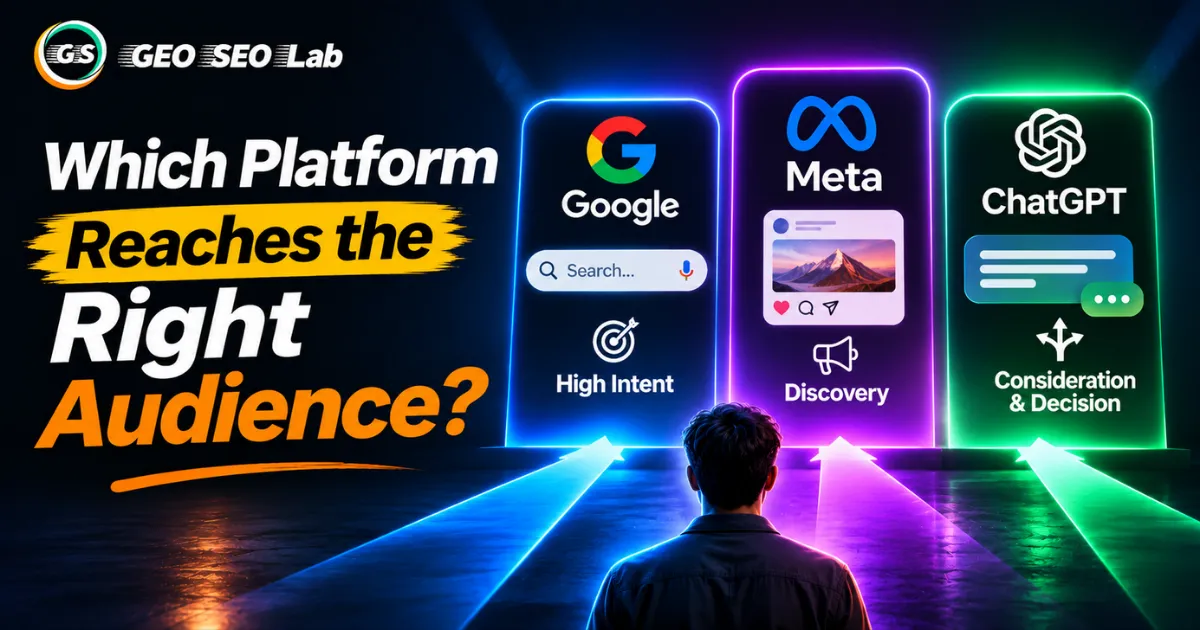
Which Platform Reaches the Right Audience? Why the Context Matters More Than the Logo
Which Platform Reaches the Right Audience? Why the Context Matters More Than the Logo. Google, Meta, and ChatGPT ads compared by what people are doing when your brand appears,

AI Content Is Cheap to Produce. Why Is It Still Expensive to Scale in 2026
Ask a room full of marketers what AI has done to content production, and you'll usually hear some version of the same answer: it's made things faster ...

Your Products Are Live. So Why Can't Google Find Them?
Here's a scenario that plays out in ecommerce teams more often than most people admit. The store has a few thousand products live, the catalog team ha...