SEO Traffic Is Growing, but Revenue Is Not: Closing the Gap Between Clicks and Cash
SEO Traffic Is Growing, but Revenue Is Not: Closing the Gap Between Clicks and CashEditorial DisclosureBefore we get into it, a quick note on how this...
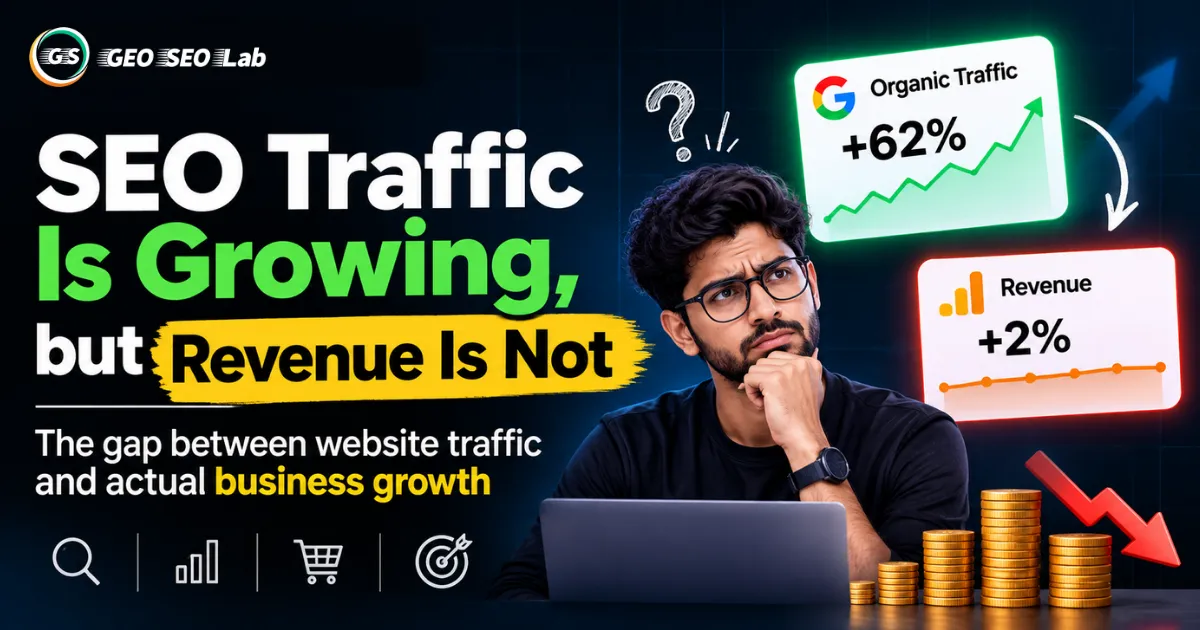
There's a particular kind of frustration that hits marketing teams around the six-month mark of a serious SEO push. The rankings are climbing. Organic traffic is up, sometimes dramatically, thirty percent, fifty percent, occasionally more. The analytics dashboard looks genuinely impressive. Someone screenshots it for a team meeting.
And then someone asks the question that deflates the whole room: "Okay, but did we actually sell more?"
Silence. Or worse, an honest answer. Revenue didn't move. Leads didn't increase. The needle on the business metrics that actually matter to the CFO stayed stubbornly flat, even while the SEO metrics on the surface told a completely different story.
This is one of the most common, least discussed problems in modern SEO. It doesn't get the attention that flashy AI search updates or algorithm changes get, because it's not a dramatic external event. It's a slow, quiet mismatch between what you're optimizing for and what your business actually needs. And it's genuinely common. Plenty of websites generate substantial organic traffic that contributes almost nothing to the bottom line, while a much smaller slice of pages quietly drives the majority of actual revenue.
If you've felt this disconnect, you're not doing SEO wrong in some obvious, embarrassing way. You're running into a structural issue that most SEO strategies don't account for from the start: traffic volume and traffic value are not the same thing, and most reporting dashboards are built to showcase the former while completely obscuring the latter.
This article is going to walk through exactly why this gap exists, how to diagnose it using tools you probably already have access to (Google Search Console, GA4, and your own conversion data), and how to restructure your SEO priorities around revenue potential rather than raw traffic numbers. We'll build a few practical frameworks along the way, and we'll keep things grounded in what you can actually do this week, not abstract theory.
Let's start with the uncomfortable question underneath all of this: why does more traffic not automatically mean more money?
Why Growing Traffic Doesn't Automatically Grow Revenue
The honest answer is that traffic and revenue are measuring two completely different things, and treating them as interchangeable is where most of this confusion starts.
Traffic measures attention. It tells you how many people landed on your website, nothing more. It says nothing about who those people are, what they actually need, whether your business can serve that need, or whether they had any intention of spending money when they arrived.
Revenue measures outcomes. It's the result of a visitor having a real problem, finding your solution credible, trusting your brand enough to engage, and completing an action that generates business value, whether that's a purchase, a qualified lead, a booked call, or a subscription signup.
A huge amount of organic traffic growth comes from content that was never designed to drive revenue in the first place, even if it wasn't built with that intention explicitly stated. Think about the kinds of pages that tend to rank well and pull in significant traffic volume: broad definitional content, "what is" articles, general how-to guides, listicles answering curiosity-driven questions. These pages can absolutely succeed at their actual job, which is attracting visitors and building topical authority. But their actual job was never to generate a sale. Expecting them to suddenly convert at commercial rates is like being disappointed that a billboard on the highway didn't personally walk someone into your store.
There's also a subtler issue at play, something we'd call intent drift. This happens when a page originally targeted a commercial keyword, started ranking, and then gradually accumulated traffic from a much broader, more informational set of related search queries over time. Google's own algorithm often expands a page's visibility to adjacent queries once it demonstrates topical relevance and authority. The result is a page that shows impressive overall traffic growth in your analytics, while the composition of that traffic has quietly shifted away from the commercially motivated searchers it originally attracted.
Another factor, and one that's genuinely easy to overlook, is what we'd call attribution blindness. Many businesses are tracking traffic and tracking conversions, but they're tracking them in separate systems that don't talk to each other cleanly. Search Console tells you about clicks and impressions. GA4 tells you about sessions and events. Your CRM or sales platform tells you about actual closed revenue. If these three systems aren't connected in a way that lets you trace a specific organic landing page all the way through to a dollar amount, you're essentially flying blind on the metric that matters most, even while you have excellent visibility into the metrics that matter least.
And finally, there's a factor that's uncomfortable to admit but important to name honestly: sometimes the traffic genuinely isn't valuable, not because of measurement gaps, but because the content was built around keywords chosen for their volume rather than their buying intent. High search volume keywords are seductive. They look great in keyword research tools. But volume alone tells you nothing about whether the people searching that term are anywhere close to a purchasing decision.
Understanding which of these forces is driving your specific traffic-revenue gap is the first real step toward fixing it. Let's build a framework to diagnose that.
The Traffic Quality Diagnostic Model
We built this framework to help you figure out, systematically, where your traffic-to-revenue gap is actually coming from, rather than guessing or assuming it's purely a keyword problem (it often isn't).
The model looks at four layers, moving from the most surface-level explanation to the most fundamental one.
Layer one: measurement gaps. Before assuming your traffic is genuinely low-value, rule out whether you're simply failing to measure value correctly. Check whether conversion tracking is properly configured across all relevant pages. Check whether GA4 events are firing correctly for the actions that actually matter to your business, not just pageviews and session counts. A shocking number of traffic-revenue gaps turn out to be tracking gaps in disguise. We'd estimate, based on common patterns across SEO audits, that measurement issues account for a meaningful chunk of perceived underperformance, especially in businesses that migrated to GA4 without rebuilding their conversion tracking carefully.
Layer two: intent mismatch. Once measurement is confirmed solid, look at whether the keywords driving your traffic actually align with commercial intent in the first place. This requires going beyond search volume and actually reading the queries bringing people to your top pages, then asking honestly: would someone searching this phrase realistically be ready to buy, inquire, or take a meaningful next step? We'll dig into how to do this systematically in the next section.
Layer three: conversion path friction. Sometimes the traffic is genuinely good, the intent is genuinely commercial, but something in the actual user journey from landing page to conversion breaks down. This could be a slow-loading page, a confusing call to action, an irrelevant landing page that doesn't match what the search query promised, or simply too many steps between arrival and the action you want them to take. This overlaps significantly with broader conversion rate optimization work, but it's worth checking specifically for your organic traffic rather than assuming all traffic sources experience friction equally.
Layer four: business model misalignment. Occasionally, and this is the hardest one to accept, the gap exists because the content attracting traffic simply doesn't align with what your business actually sells, or attracts an audience segment that isn't your actual customer base. A B2B software company that ranks well for broad, consumer-facing educational content might see fantastic traffic numbers while attracting almost no one who would ever purchase an enterprise software license. This isn't a tracking problem or even purely an intent problem; it's a strategic content targeting problem that requires revisiting what topics you're actually trying to own.
Working through these four layers in order, rather than jumping straight to "we need better keywords," helps you avoid wasting effort fixing the wrong problem. If your real issue is layer one (measurement), no amount of content strategy rework will show results, because you genuinely can't see what's already working.
Informational Traffic vs Commercial Traffic: Understanding the Real Difference
Let's get concrete about what separates informational traffic from commercial traffic, because this distinction underpins almost everything else in this article.
Informational traffic comes from searches where the person is looking to learn, understand, or satisfy curiosity. They're not necessarily close to any purchasing decision, and in many cases, they might not even be aware a solution to their problem exists yet. Queries like "what causes slow website loading speed" or "how does SEO work" fall squarely into this category. People searching these terms could eventually become customers, but that journey, if it happens at all, typically takes time and multiple touchpoints.
Commercial traffic comes from searches where the person has moved past pure curiosity and into evaluation or decision mode. They're comparing options, looking for specific services, or actively trying to solve a problem they've already identified. Queries like "best SEO agency for ecommerce brands" or "GA4 conversion tracking setup service" signal someone much closer to taking action.
Between these two poles sits a large and often underappreciated middle ground: what we'd call transitional intent. These are searches where someone has identified a problem and is actively researching solutions, but hasn't yet decided on a specific vendor, product category, or approach. Queries like "how to fix low SEO conversion rates" or "why is my organic traffic not converting" sit here. This is genuinely valuable traffic, often more valuable than people realize, because it represents someone actively problem-solving in a space where your business might be the solution, even though the query itself doesn't scream "ready to buy" the way a branded or highly specific commercial query does.
Here's a practical exercise worth running on your own top organic landing pages. Pull your top twenty pages by organic traffic from Search Console or GA4. For each one, look at the actual search queries driving clicks to that page, not just the page's target keyword, but the real query data showing what people typed. Sort those queries into the three buckets: informational, transitional, and commercial.
You'll often find something revealing. A page you assumed was commercially focused might be pulling in sixty percent of its traffic from purely informational queries that happened to match some content on the page tangentially. Conversely, a page that doesn't get huge traffic volume might be almost entirely commercial in its query composition, meaning every visitor arriving there is genuinely closer to becoming a customer, even if the raw numbers look modest next to your biggest traffic pages.
This exercise alone, done honestly and without skipping pages because it feels tedious, usually reshapes how a marketing team thinks about which pages actually deserve investment, promotion, and internal linking priority.
One important nuance worth flagging here: this doesn't mean informational content is worthless or that you should abandon it. Informational content plays a real role in building topical authority, earning backlinks, and nurturing visitors who aren't ready to buy yet into an audience that might convert later through email, retargeting, or branded search down the line. The goal isn't to eliminate informational content. It's to stop treating informational traffic and commercial traffic as equally valuable when measuring the health of your SEO program, and to stop allocating resources as if they were.
How to Identify Keywords That Attract Visitors but Fail to Convert
This is where a lot of teams get stuck, not because the analysis is technically difficult, but because it requires pulling data from multiple sources and actually sitting with it rather than glancing at a summary dashboard.
Here's a practical, step-by-step process you can run without needing specialized tools beyond what Google already gives you for free.
Start in Google Search Console. Go to the Performance report and sort your queries by clicks, filtering to a recent time period of at least the last three months for a reasonably stable sample size. Export this data. You're looking specifically at queries with meaningfully high click volume, since these represent where your traffic investment is actually concentrated.
Cross-reference with GA4 landing page data. For each of your top query-driving pages identified in Search Console, pull the corresponding engagement and conversion data from GA4. Look specifically at metrics like average engagement time, bounce rate (or its GA4 equivalent engagement rate), and most importantly, conversion events tied to that specific landing page. GA4 allows you to build a report or exploration that shows conversions by landing page, which is exactly the data point you need here.
Calculate a simple conversion-to-traffic ratio for each page. This doesn't need to be complicated. Take the number of meaningful conversions attributed to a page over your time period and divide it by the number of organic sessions that page received in the same period. This gives you a rough conversion rate specific to that page's organic traffic, which you can then compare across your top pages.
Identify the mismatch pages. You're looking for pages that sit in the top tier for traffic volume but the bottom tier for conversion rate. These are your traffic-rich, revenue-poor pages, exactly the pattern described in this article's core problem. Equally important, flag the opposite pattern too: pages with modest traffic but disproportionately high conversion rates. These are often your most underrated assets, pages that could generate significantly more revenue if you simply sent more traffic their way through improved rankings, internal linking, or paid promotion.
Look at the actual query terms behind each mismatch page. For your high-traffic, low-conversion pages, go back to the specific queries driving that traffic. In many cases, you'll find the page is ranking for a cluster of loosely related informational queries that happen to overlap with its content, rather than the specific commercial query it was originally built to target. This is the intent drift phenomenon mentioned earlier, and seeing it in the raw query data makes the diagnosis concrete rather than theoretical.
A realistic, clearly hypothetical example to illustrate this process: imagine a page built around the keyword "SEO services for small business" that was intended to drive inquiry form submissions. Over eighteen months, Google's algorithm recognizes the page as a strong topical authority and begins ranking it for dozens of adjacent informational queries like "what does an SEO service include" or "how much does SEO cost per month." Traffic to the page triples. But the inquiry form submission rate, measured as a percentage of total sessions, drops by more than half, because the majority of new visitors are early-stage researchers rather than businesses ready to hire an agency. The page looks like a massive SEO win in a traffic report and looks like a concerning decline in a conversion rate report, and both interpretations are capturing something true about what's actually happening.
This is exactly why looking at a single metric in isolation, whether that's traffic or conversion rate alone, tells an incomplete story. You need both, viewed together, to understand what's actually going on.
Connecting Google Search Console, GA4, and Conversion Data
This is, honestly, the operational backbone that makes everything else in this article actionable rather than theoretical. Without connecting these three data sources, you're left making educated guesses rather than data-driven decisions.
Let's walk through how these pieces fit together, in plain language, without requiring any development work beyond what most website owners can handle with existing platform tools.
Google Search Console tells you about discovery and intent. This is where you see exactly which queries bring people to your site, how often your pages show up in search results, your average position for specific terms, and your click-through rates by query. This is your intent data source. It tells you what people were actually looking for when they found you.
GA4 tells you about behavior and engagement. Once someone lands on your site from an organic search result, GA4 picks up the story. It tracks what they do next: how long they stay, how many pages they view, whether they scroll, click, fill out forms, or leave immediately. If you've set up conversion events properly (and this is a genuinely important "if"), GA4 also tells you whether that visitor completed a meaningful action.
Your CRM or sales platform tells you about actual business outcomes. This is the piece most SEO reporting completely misses. A form submission or a "contact us" click in GA4 is a conversion event, but it's not revenue. Whether that lead actually turned into a paying customer, and how much that customer was worth, lives in your CRM, your sales pipeline, or your ecommerce platform's order data, not in your web analytics.
The practical goal is building a connection, even a manual one, between these three layers. Here's how to do this without needing a data engineering team.
Within GA4, set up conversion events that map clearly to meaningful business actions: form submissions, calls initiated from your site, demo requests, add-to-cart actions, completed purchases, whatever applies to your specific business model. Make sure these are configured as actual conversion events, not just tracked as generic engagement, so you can report on them cleanly by landing page and by traffic source.
Link your Search Console property to GA4, which Google allows directly within GA4's admin settings. This lets you view Search Console query and page data alongside GA4 behavioral and conversion data in combined reports, without needing to manually cross-reference two separate exported spreadsheets every time.
For the revenue piece, if your CRM supports UTM parameter tracking or lead source fields, tag your organic traffic conversions so that when a lead converts into an actual sale weeks or months later, you can trace that closed revenue back to the original landing page and even the original search query that started the journey. This is admittedly the hardest piece to set up cleanly, especially for businesses with long sales cycles, but even an approximate version of this connection, done manually on a monthly basis by cross-referencing new customer lists against your GA4 conversion data by date and rough timing, is dramatically better than having no connection at all.
For ecommerce businesses, GA4's native ecommerce tracking does a lot of this work for you automatically if set up correctly, directly connecting organic landing pages to actual purchase revenue without needing a separate CRM bridge.
The businesses that solve this problem most effectively tend to build what we'd call a simple monthly reconciliation habit rather than a complex automated system. Once a month, someone pulls organic landing page data from Search Console and GA4, cross-references it against closed revenue or completed conversions from the relevant time window, and updates a shared tracking document or dashboard. It's not glamorous, and it's definitely not fully automated in most small and mid-sized businesses, but it's genuinely effective and realistic to maintain.
Revenue Potential Scoring System: Prioritizing Pages That Actually Matter
Once you have visibility into which pages drive genuine commercial value versus which pages primarily drive volume, the next question is how to prioritize your ongoing SEO investment. Not every page deserves equal attention, and trying to improve everything at once usually means improving nothing meaningfully.
We built a simple scoring framework called the Revenue Potential Scoring System to help rank your existing pages and content opportunities based on actual business value rather than traffic volume alone.
Score each page across four dimensions, using a simple scale from one to five on each, where five represents the strongest signal.
Commercial intent alignment. How closely do the actual queries driving traffic to this page match genuine buying or decision-stage intent, based on the query analysis process described earlier? A page dominated by transactional and transitional queries scores high here. A page dominated by broad curiosity queries scores low, even if traffic volume is impressive.
Current conversion performance. What's the page's actual measured conversion rate, based on the GA4 data connected to real business outcomes? Pages already converting well, even at modest traffic levels, score high, since improving their visibility and traffic represents a relatively safe, proven bet.
Growth headroom. How much realistic room exists for this page to improve, either in rankings, traffic volume, or conversion rate, based on where it currently sits? A page ranking at position eight for a valuable commercial keyword has meaningful headroom to climb toward the top three. A page already dominating position one for its target terms has less room to grow through ranking improvements alone, though it might still have conversion rate optimization headroom.
Strategic business fit. Does this page align with products or services your business actually wants to grow, regardless of its current performance? Sometimes a page scores modestly on the first three dimensions simply because it targets a newer service line your business is actively trying to expand into, in which case strategic fit should weight the overall priority upward even if historical data is thin.
Add up the four scores for a total out of twenty. Pages scoring in the top range deserve your immediate investment: deeper content development, improved internal linking, technical SEO fixes, and conversion rate optimization work. Pages scoring in the middle range are worth monitoring and incremental improvement, but shouldn't consume disproportionate resources. Pages scoring low across the board are candidates for one of three decisions: deprioritization, repurposing toward a different (likely informational, top-of-funnel) goal where their traffic strength actually makes sense, or in some cases, consolidation with stronger pages covering overlapping ground.
This scoring exercise, done honestly across your top thirty or so organic pages, typically produces a clearer, more defensible content roadmap than simply chasing whichever keywords show the highest search volume in a keyword research tool. It directly ties your SEO investment to business outcomes, which also happens to make these conversations with finance and leadership teams considerably easier, since you're speaking in terms of revenue potential rather than abstract ranking positions.
Cross-Platform Conversion Mapping Method: A Simpler Starting Point
For teams that find the full Search Console, GA4, and CRM integration process overwhelming to start, here's a simplified entry point we'd call the Cross-Platform Conversion Mapping Method, designed to get you eighty percent of the insight with roughly twenty percent of the setup effort.
Start by identifying your five most important conversion actions, the handful of things that genuinely matter to your business, whether that's demo requests, purchases, newsletter signups that historically lead to sales, or phone calls. Resist the temptation to track everything; focus on what actually correlates with revenue.
Next, pick your top fifteen organic landing pages by traffic from the last quarter. For each one, manually check GA4's landing page report filtered to just those five conversion actions, and note the raw conversion count and rate for each page.
Then, spend an afternoon, just one focused afternoon, going through Search Console's query data for each of those fifteen pages and categorizing the top ten queries driving traffic to each as informational, transitional, or commercial, using your own judgment based on the query wording and apparent intent.
With these two simple data sets side by side, a spreadsheet with page, traffic volume, conversion count, conversion rate, and intent category breakdown, patterns usually emerge within minutes of looking at the combined picture. You'll typically spot your biggest mismatch pages and your most undervalued high-converting pages immediately, without needing sophisticated tooling or a data analyst.
This simplified method won't give you the full revenue traceability of a proper CRM integration, but it's genuinely good enough to start making smarter prioritization decisions immediately, and it builds the habit and mental model you'll need if you eventually invest in the more complete tracking setup described earlier.
Common Mistakes Businesses Make When Trying to Close This Gap
A few patterns show up repeatedly when businesses try to address the traffic-revenue mismatch, and it's worth naming them directly so you can avoid the same missteps.
Abandoning informational content entirely. Some teams, once they realize informational traffic isn't converting directly, overcorrect by cutting all top-of-funnel content production. This usually backfires, since informational content still plays a real role in building domain authority, earning backlinks, and feeding later-stage nurturing, even when it doesn't convert on the first visit.
Chasing commercial keywords without the content depth to actually rank for them. Commercial keywords are, almost by definition, more competitive, since every business in your space wants that same bottom-of-funnel traffic. Simply retargeting content toward commercial intent without building genuinely strong, differentiated content to back it up often results in disappointing rankings, not improved revenue.
Treating every page the same way regardless of its actual role. Not every page needs to drive direct conversions. Some pages exist to build authority, earn links, or support other pages through internal linking. Forcing a hard sales pitch onto genuinely informational content usually hurts user experience and can even hurt rankings if it damages engagement metrics.
Giving up on measurement because it feels too complicated. The full integration between Search Console, GA4, and CRM data can feel daunting, especially for smaller teams without dedicated analytics resources. But partial, imperfect measurement, done consistently, beats no measurement at all. Start with the simplified Cross-Platform Conversion Mapping Method described above rather than waiting until you can build the perfect system.
Blaming SEO entirely when the problem is actually sales or product. Sometimes organic traffic genuinely is commercially qualified, and the gap exists further down the funnel, in a confusing checkout process, a sales team that's slow to follow up on leads, or a pricing mismatch with what the market expects. Before assuming the problem is purely an SEO content or targeting issue, it's worth ruling out whether qualified traffic is actually getting lost after it arrives, through no fault of the content that brought it there.
Key Takeaways
Growing organic traffic and growing revenue are related but genuinely different outcomes, and treating traffic volume as a proxy for business success without checking the underlying intent and conversion data is one of the most common and costly mistakes in SEO strategy.
The Traffic Quality Diagnostic Model offers a structured way to identify whether your traffic-revenue gap comes from measurement issues, intent mismatch, conversion path friction, or deeper business model misalignment, and working through these layers in order prevents wasted effort on the wrong fix.
Not all organic traffic carries equal value. Understanding the difference between informational, transitional, and commercial search intent, and actually auditing your top pages' real query data against these categories, reveals which of your traffic sources are genuinely close to driving revenue.
Identifying keywords that attract visitors but fail to convert requires cross-referencing Search Console query data with GA4 conversion data at the individual landing page level, not just looking at site-wide averages that can hide meaningful page-level differences.
Connecting Google Search Console, GA4, and your CRM or sales data, even through a manual monthly reconciliation process rather than full automation, gives you the visibility needed to trace organic traffic all the way through to actual business outcomes.
The Revenue Potential Scoring System helps prioritize ongoing SEO investment based on commercial intent alignment, current conversion performance, growth headroom, and strategic business fit, rather than defaulting to whichever pages already have the highest traffic volume.
Avoid overcorrecting by abandoning informational content entirely, and remember to rule out sales or product-side friction before assuming every traffic-revenue gap is purely an SEO content problem.
About GEO SEO Lab
GEO SEO Lab is a research and content publication dedicated to helping marketers, business owners, and SEO professionals navigate the practical realities of search marketing in an increasingly complex digital landscape. We focus on translating genuine business problems, like the gap between traffic growth and revenue growth, into clear, actionable frameworks grounded in real tools and real data, rather than vanity metrics or surface-level advice. Our goal is always to help you connect SEO performance to outcomes that actually matter to your business.
References
Google Search Central, official Search Console documentation and performance reporting guidance (developers.google.com/search/docs)
Google Analytics Help, GA4 conversion event setup and ecommerce tracking documentation (support.google.com/analytics)
Google Analytics Help, Search Console integration setup guidance within GA4
Moz, research and guidance on search intent classification and keyword research methodology
Ahrefs, studies on organic traffic value and keyword difficulty versus conversion potential
Search Engine Journal, industry analysis on SEO ROI measurement and attribution challenges
Search Engine Land, coverage of search intent categorization best practices
Harvard Business Review, research on marketing attribution and revenue measurement across channels
Think with Google, consumer research on search behavior across the buying journey stages
Tags
Frequently Asked Questions
Find answers to common questions about this topic
About the Author

Anubhav
SEO Expert & Content Creator
Experienced digital marketing professional specializing in SEO strategies, content optimization, and data-driven marketing solutions. Passionate about helping businesses grow their online presence and achieve better search rankings.
Related Articles
View all posts
Google Is Making AI Search Links More Visible: What Should SEO Professionals Do Next?
Google Is Making AI Search Links More Visible: What Should SEO Professionals Do Next?Editorial DisclosureBefore diving in, a quick note on sourcing. T...

ChatGPT Ads vs Meta Ads vs Google Ads: Which Delivers the Best ROI in 2026?
ChatGPT Ads vs Meta Ads vs Google Ads: Which Delivers the Best ROI in 2026?Subtitle: Comparing advertising costs, audience intent, lead quality, conve...
How to Measure YouTube and Social Content Performance in Google Search
Introduction: Your Videos Are Already Showing Up in Google. Do You Know How Well?Here is something a lot of content teams still underestimate: a meani...